
Using CSV with OpenOffice for data import
Understanding and being able to use CSV opens up a whole new world of possibilities. Most systems have a method for exporting to CSV or Excel, and this is also the case for PHPReaction’s standard export.
Read examples of column structure templates for PHPReaction imports.
URL: https://phpreaction.com/quoi-de-neuf/import-massif-de-donnees-dans-votre-erp/#exemples
Furthermore, you will be able to work and import your CSV data files directly into your PHPReaction


Apache OpenOffice
OpenOffice is produced by Apache (a company established and recognized for several years)
It offers a basic office suite (Writer, Spreadsheet/Calc, Impress, Draw, Base and Math)
Of course, what interests us for CSV is Spreadsheet/Calc!
It is free and open source and compatible with Windows, Mac, and Linux.
To download it for free: https://www.openoffice.org/download/index.html
LibreOffice
LibreOffice is another alternative for using CSV.
It is free and open source and compatible with Windows, Mac, and Linux.
To download it for free: https://www.libreoffice.org/download/download/
Google Sheets
Indeed, Google Sheets is another alternative for using CSV files directly in the cloud. It also enables collaborative work and facilitates document sharing via its Google Drive platform.
Since it’s a cloud-based web application, it runs on the browser, making it compatible with Windows, Mac, and Linux.
Visit the GSheets / Google Sheets / Google SpreadSheet tool page
Microsoft Excel
Of course, you can also use Microsoft Excel / MSExcel / Excel.
However, this tutorial will not be similar to your usage.
Furthermore, it seems that the application does not follow the same standards for CSV files. For example, the default delimiter is a semicolon “;” rather than a comma “,” as indicated in the name “CSV” where the “V” stands for comma.
Open a CSV with OpenOffice
A sample CSV file should have the extension “.csv” (e.g., “xyz.csv”)
You can open the application and then open the file.
The easiest way is to open the file from “open with” and then select “OpenOffice Calc”
- If you primarily use “OpenOffice Calc” for CSV files, you can configure it to be your default option, so simply double-click it.
Read a CSV with OpenOffice
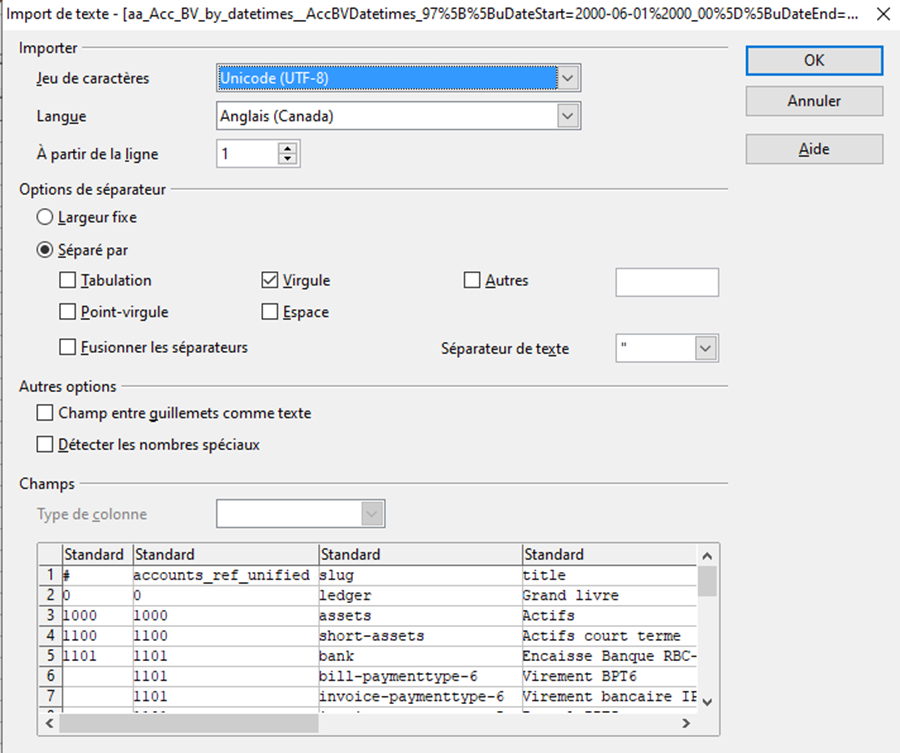
A CSV file can have different parameters.
Normally open with the following parameters:
- Comma separator “,”
- Column separator double quotes, example: “
- It is preferable to keep the encoding “UTF-8” (Web Standard UTF8, which will preserve accents)
- It is preferable to keep the language “English” (See the Format section to understand why)
Formatting numbers with OpenOffice
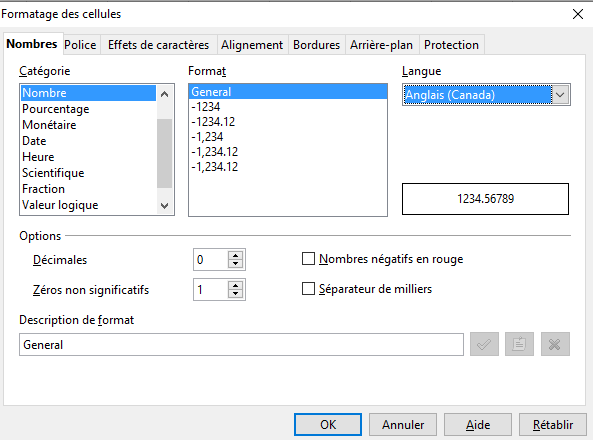
Indeed, the language selected influences the application’s date and number formats.
It’s best to keep the language “English” / “English (Canada)” mainly to have the numbers formatted like this: 12345.67
So a space, no comma, “”,”,” and a period, “.” for decimals.
This format will allow it to be treated as a number when saving.
For dates, the ideal is to use the ISO format “Y-m-d” (for example, “2022-12-31”) for Year: 2022 Month: 12 Day: 31
With this method, the language should not influence the processing of your dates.
Save a CSV with OpenOffice
Use the “Save As” option
You can choose a name for your file and the “CSV Text” extension (.csv)
It is best to select “Filter parameters options” to validate the save settings.
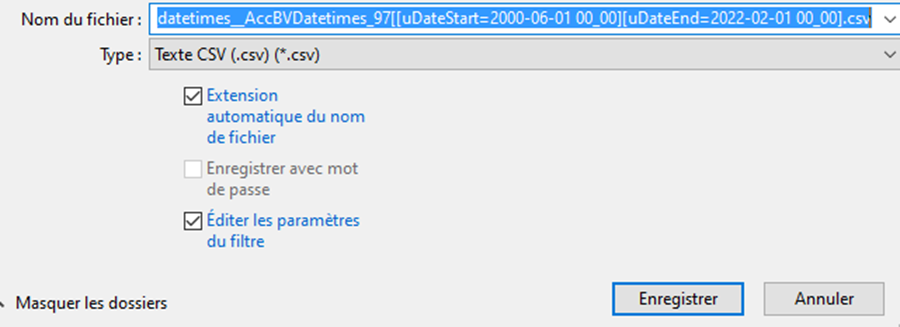
In the “Filter parameters options”
Validate the settings:
- Comma separator / comma “,”
- Text separator double quotation marks / Double quotes example: “
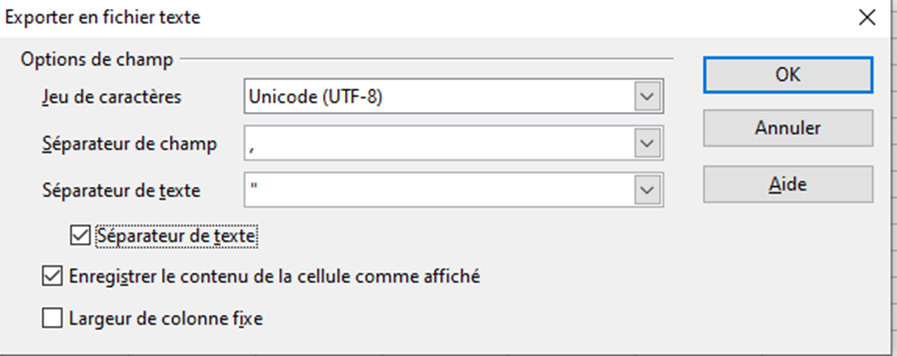
Par la suite, vous pourrez importer votre fichier de données CSV directement dans votre PHPReaction